
P2P remote desktop lets one device view and control another by streaming screen data and input commands directly between them, with no cloud server sitting in the middle of your session. It's the right call when you want lower latency, higher throughput, and fewer parties touching your screen data. The trade-off is real: you're now dependent on NAT traversal working, and when it doesn't, you need a signaling server and often a TURN relay as backup.
TL;DR:
- P2P remote desktop relies on NAT traversal techniques like STUN, hole-punching, and TURN relays, with TURN often being the bottleneck in symmetric NAT scenarios.
- WebRTC is the default protocol for most projects due to encryption, browser support, and NAT handling, but custom UDP or TCP stacks can offer advantages in specific use cases.
- Direct peer-to-peer connections provide lower latency and higher bandwidth, especially on local networks, while relays are necessary on mobile or heavily firewalled networks.
- Security relies on end-to-end encryption for media and data channels, but signaling servers only handle connection metadata, with trustworthiness depending on control over signaling and relays.
- For local, high-performance control, tools like Kinodesk optimize direct Windows-to-Windows connections with GPU-accelerated capture, avoiding the overhead of cloud relaying or complex NAT traversal.
Table of Contents
- What Is a P2P Remote Desktop and How Does It Move Data?
- WebRTC, UDT, or a Custom Stack: Which Protocol Actually Fits?
- Why NAT Traversal Is the Real Bottleneck in Serverless P2P
- The Latency and Bandwidth Case for Going Direct
- The Security Model: What's Actually Encrypted and What Isn't
- Building One: A Practical Checklist for Implementers
- Kinodesk: A Local-First Take on High-Performance Screen Sharing
- Where to Read the Actual Specs
- What Most Guides Get Wrong About "Serverless" P2P
- Get the Local Performance Ceiling Most P2P Tools Can't Touch
- Sources
What Is a P2P Remote Desktop and How Does It Move Data?
Peer to peer desktop sharing breaks down into four jobs: capture, encode, transport, and input. The host machine captures its screen, usually through an OS-level API or a GPU-accelerated pipeline, then compresses that image data before sending it anywhere. A viewer PWA built around getDisplayMedia paired with a native agent for input injection is a common browser-based pattern for handling capture on one side and control on the other, according to the freeremotedesk project.
Once captured, the video stream and the input commands travel on separate logical channels, even over a single connection:
- Media channels carry the actual video (and sometimes audio) using codecs tuned for motion and detail.
- Data channels carry keyboard events, mouse movement, clipboard sync, and file transfers, none of which tolerate the same kind of compression as video.
- Signaling exchange happens before any of that: the two peers swap connection metadata (SDP offers/answers and ICE candidates) through a lightweight relay so they can find each other on the open internet.
That signaling step is the part people misunderstand most. It's not part of the ongoing session. Once the peer connection is established, the signaling server can disappear from the picture entirely. Everything after that handshake, video, audio, input, is p2p desktop connection traffic flowing directly between the two machines.
WebRTC, UDT, or a Custom Stack: Which Protocol Actually Fits?
WebRTC is the default answer for most new projects, and for good reason. It ships built-in DTLS-SRTP encryption, works inside any modern browser with zero install, and handles ICE negotiation for you. Several modern remote-desktop projects lean on WebRTC or comparable NAT-aware protocols specifically so users can connect without touching their router's port-forwarding settings, as the Peariscope project demonstrates.
That said, WebRTC isn't the only serious option:
- UDT (UDP-based Data Transfer) and other custom UDP protocols show up when a team wants tighter control over congestion behavior or needs a codec pipeline WebRTC doesn't support natively, a pattern documented on UDT's own project page.
- Native agent-to-agent stacks skip the browser entirely and talk raw TCP or UDP, trading portability for lower overhead and direct hardware access.
- Diff encoding, sending only the pixel blocks that changed since the last frame, cuts bandwidth dramatically on mostly-static desktops, an approach the Atlas Desk project documents using small block sizes for a good bandwidth-to-responsiveness balance.
Pro Tip: If you're prototyping, start with WebRTC even if you think you'll outgrow it. You get encryption, NAT traversal, and codec negotiation for free. Only drop to a custom UDP stack once you've measured a specific bottleneck WebRTC can't clear.
Why NAT Traversal Is the Real Bottleneck in Serverless P2P
"Serverless" is a little misleading. Every p2p remote desktop connection still needs something to help two machines behind different routers find each other, it just doesn't need that something running for the whole session. Here's the sequence that actually happens:
- STUN asks a public server what your outward-facing IP and port look like, since your device doesn't know that on its own behind a router.
- Hole-punching uses that STUN information so both peers try connecting directly, often succeeding in a fraction of a second.
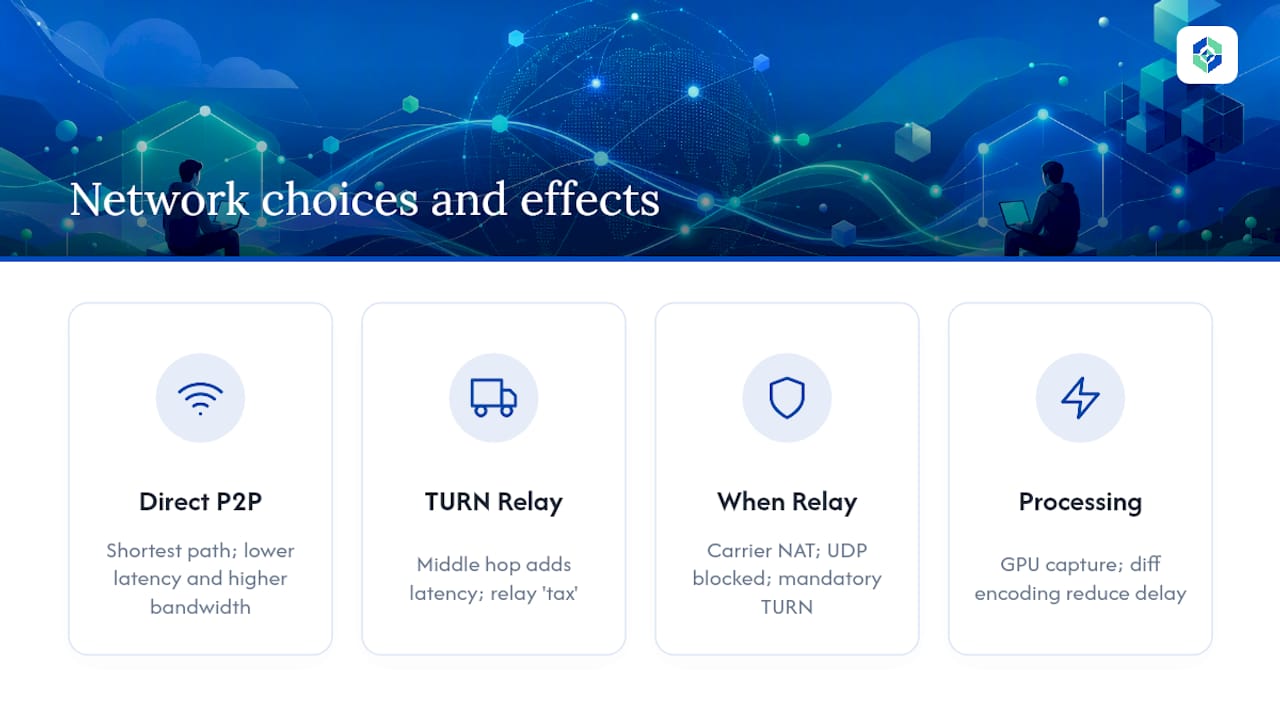
- TURN relay kicks in when hole-punching fails, most often against symmetric NATs, which assign a new external port for every destination and make direct punching nearly impossible. Reliable systems treat TURN as a fallback, not an afterthought, since symmetric NAT failures are a known, common failure mode.
- DHT or Hyperswarm-style rendezvous replaces a centralized signaling directory in more advanced projects, letting peers connect using a shared passphrase or code instead of registering with anyone's server, per Peariscope's rendezvous documentation.
- Self-host your own signaling server and coturn instance once you need predictable uptime or you're distributing a product you don't want dependent on someone else's infrastructure.
Budget for TURN. Even well-architected apps see a meaningful share of sessions land on relay-only NAT configurations.
The Latency and Bandwidth Case for Going Direct
Here's the part that actually sells P2P to a technical audience: shorter paths mean less delay, full stop. When two machines talk directly, packets take the shortest route the network allows, instead of detouring through a data center that might be several hundred miles from either of you. Direct connections commonly offer real bandwidth and latency advantages over cloud-relayed access precisely because that middle hop disappears.
Where this matters most: LAN-based sessions between a workstation and a second monitor rig, studio setups controlling a render machine down the hall, and developers accessing a local dev box from a laptop across the room. Pair a direct path with GPU-accelerated capture and diff encoding and you get a stream that feels instant rather than merely fast.
Where a relay can still win: mobile networks with aggressive carrier-grade NAT, corporate networks that block UDP outright, or any situation where TURN becomes mandatory anyway. At that point you're paying the relay tax whether you wanted P2P or not.
The Security Model: What's Actually Encrypted and What Isn't
WebRTC encrypts media and data channels end-to-end using DTLS-SRTP by default, meaning the video and input streams between two peers stay unreadable to anything sitting on the network path between them. The signaling server never sees that content. Its job is limited to exchanging connection metadata, and a well-built one can be swapped out entirely without touching the encryption model.
A few design choices separate a secure setup from a shaky one:
- Attended vs unattended access changes your threat model completely. A session that requires someone physically clicking "accept" is a fundamentally different risk than one that connects automatically to an always-on machine.
- Device keypair authentication replaces passwords with cryptographic identity, closing off brute-force and credential-stuffing attacks.
- Short-lived session credentials limit the damage window if a pairing code or token leaks.
- Signed builds and trusted TURN relays matter more than people assume. A relay you don't control sees connection timing and metadata even if it can't read the payload.
Pro Tip: If you're evaluating any remote access tool, ask specifically what the signaling server can see and how long session tokens live. Those two answers tell you more about the real security posture than any marketing copy.
Running your own signaling and TURN infrastructure hands you full control over that trust boundary, but it comes with genuine operational overhead: Docker containers, TLS certificate renewal, and TURN credential rotation don't maintain themselves.
Building One: A Practical Checklist for Implementers
If you're prototyping a p2p remote desktop tool rather than just using one, the architecture decisions come in a fairly predictable order.
- Pick your viewer shell. A browser PWA using
getDisplayMediapaired with a lightweight native agent (Tauri and Rust is a popular combination) gets you cross-platform reach without asking users to install much. - Choose your signaling pattern. Pairing codes and QR scanning work well for one-off connections. A small WebSocket signaler running on something like Cloudflare Workers keeps costs near zero while media stays peer-to-peer, a pattern freeremotedesk uses directly.
- Tune your capture and encoding. Hardware capture plus a short keyframe interval keeps latency down; frame diffing at small block sizes (32×32 is a common starting point) keeps bandwidth in check without hurting responsiveness.
- Test the failure modes before you test the happy path. Simulate CGNAT, force a symmetric NAT scenario, inject packet loss, and confirm your TURN fallback actually activates when hole-punching fails, since that's where most P2P projects quietly break in production.
Skipping step four is the single most common mistake in this space. A demo that works flawlessly on your home Wi-Fi tells you almost nothing about how it behaves on a hotel network or a phone hotspot.
Kinodesk: A Local-First Take on High-Performance Screen Sharing
This product applies direct-connection logic to controlling one Windows PC from another on the same local network with an emphasis on high fidelity. It's not trying to solve global NAT traversal, it's optimized for the connection you already have.
- GPU-accelerated capture and hardware encoding enable high refresh rates, supporting smoother and more responsive streaming than many cloud-relayed tools.
- Best-fit scenarios include local setups like home labs, studio workstations, and development environments needing very low input lag.
- Setup is designed to be straightforward, aiming to reduce configuration friction for first-time users.
For readers weighing peer to peer remote desktop options for real-time, high-refresh work rather than occasional cross-country access, Kinodesk's local-first architecture is worth a direct look.
Where to Read the Actual Specs
For deeper technical grounding, the WebRTC protocol documentation covers DTLS-SRTP and NAT behavior in detail, while the UDT project page explains the UDP-based alternative for teams building outside the browser.
What Most Guides Get Wrong About "Serverless" P2P
Most explainers oversell the "no server needed" pitch and undersell how often TURN relays end up carrying the traffic anyway. Symmetric NAT isn't rare, it's routine on carrier networks and plenty of corporate firewalls. Any honest architecture plan treats TURN capacity as a real line item, not a rare fallback.
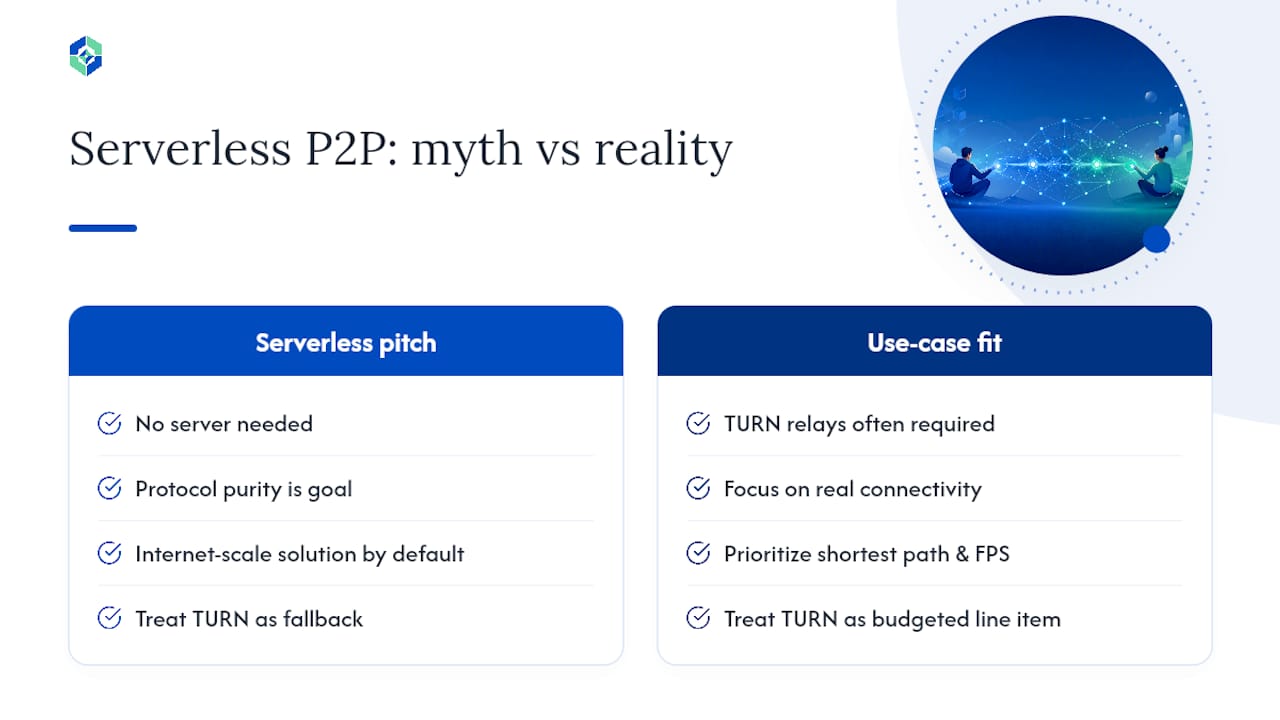
The bigger blind spot, though, is that people chase protocol purity when they should be chasing use-case fit. WebRTC's encryption and browser reach make it the right general-purpose choice, but "general purpose" isn't the same as "best for your specific job." A studio running a render machine ten feet away doesn't need global rendezvous infrastructure. It needs the shortest possible path and the highest possible frame rate, which is a local networking problem, not an internet-scale one.
That's the gap conventional P2P advice tends to miss: distance and connectivity constraints should drive the architecture choice, not habit. If your actual use case is local, prioritize local-first tools before reaching for anything built to solve problems you don't have.
— Ian
Get the Local Performance Ceiling Most P2P Tools Can't Touch
Everything in this piece has been about shaving hops off the path between two machines. Kinodesk focuses on connecting directly across the local network and employs GPU-accelerated capture to support very high refresh rates.
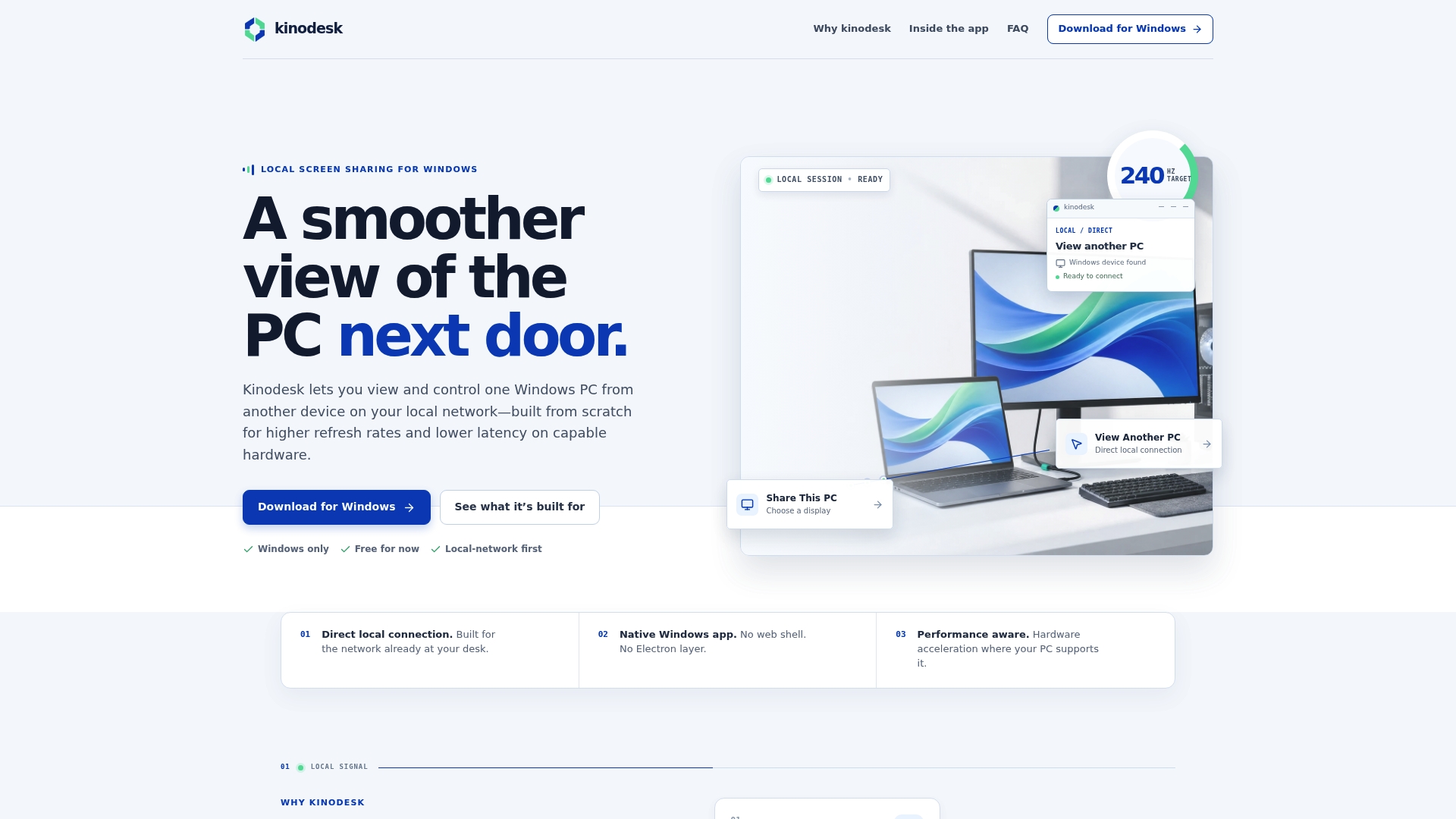
That's a meaningfully different tool than a general-purpose remote access app trying to work everywhere. If your setup is a home lab, a studio workstation, or a dev machine one room over, Kinodesk gives you the responsiveness a cloud-relayed session structurally can't match, without asking you to manage TURN servers or signaling infrastructure yourself. This software is designed for local network Windows-to-Windows control, with features intended to ease setup and reduce troubleshooting.
For readers who came here comparing remote desktop software and secure remote access options, this is the local counterpart to WebRTC's internet-scale approach. Head to Kinodesk's product page to download it and connect your first session.